

Offline Speech to TextAI Note Taker
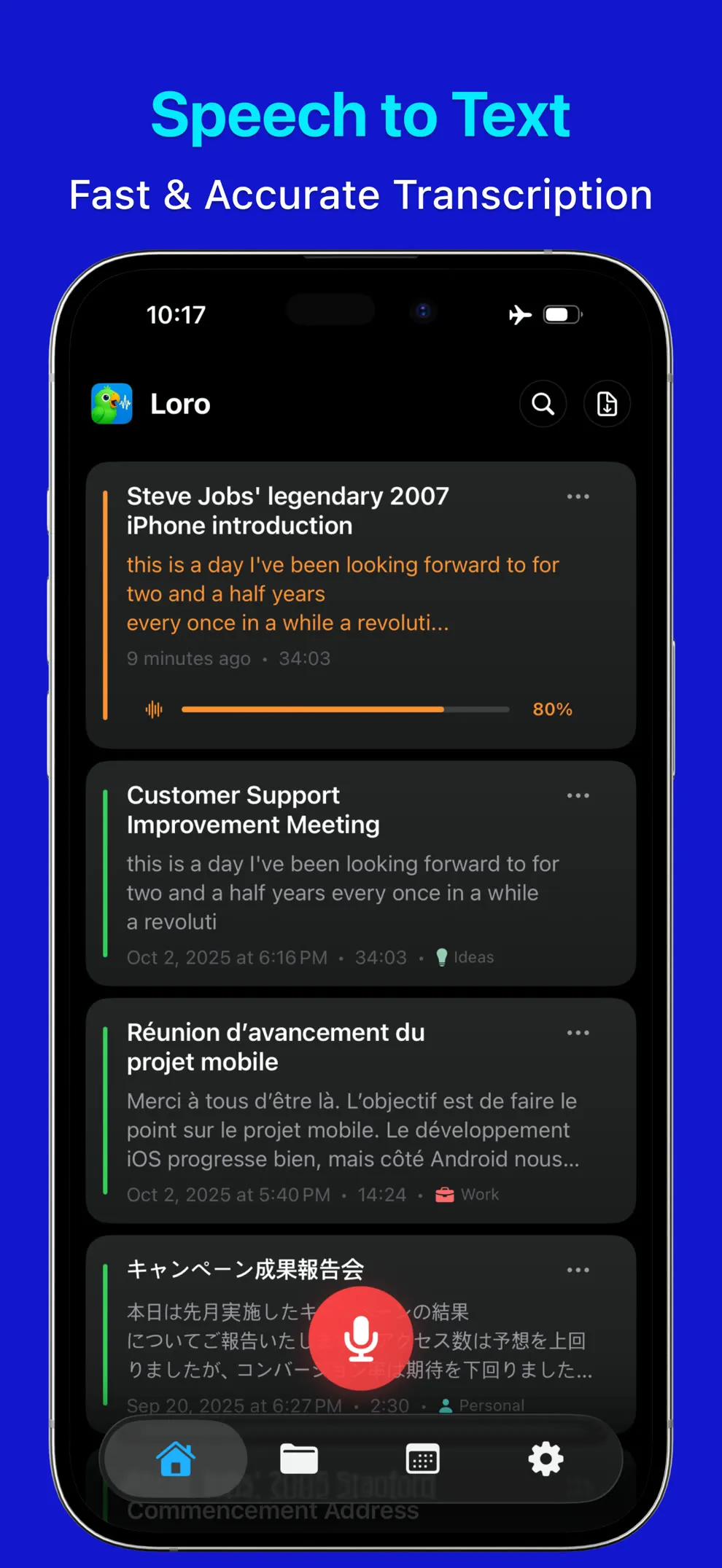
LoroNote is an offline AI note taker powered by OpenAI Whisper Large V3 Turbo. It turns meetings, lectures, and interviews recorded on your iPhone, iPad, or Apple Watch into accurate text.
- Up to 98% accurate
- Offline transcription
- 100+ languages
- Apple Watch complication
- Free to download
- First 2 min of every recording free
- No account needed
Why choose LoroNote
Experience the power of AI-driven transcription with features designed for accuracy, privacy, and seamless user experience.
100% Privacy
Your data never leaves your device. Complete privacy protection with on-device AI processing.
Works Offline
No internet required. Your conversations stay private on your device with 100% offline transcription.
Unlimited Transcriptions
No limits on transcription length or quantity. Transcribe as much as you need, whenever you need.
Whisper Large V3 Turbo
Powered by OpenAI Whisper Large V3 Turbo for unmatched transcription accuracy and reliability.
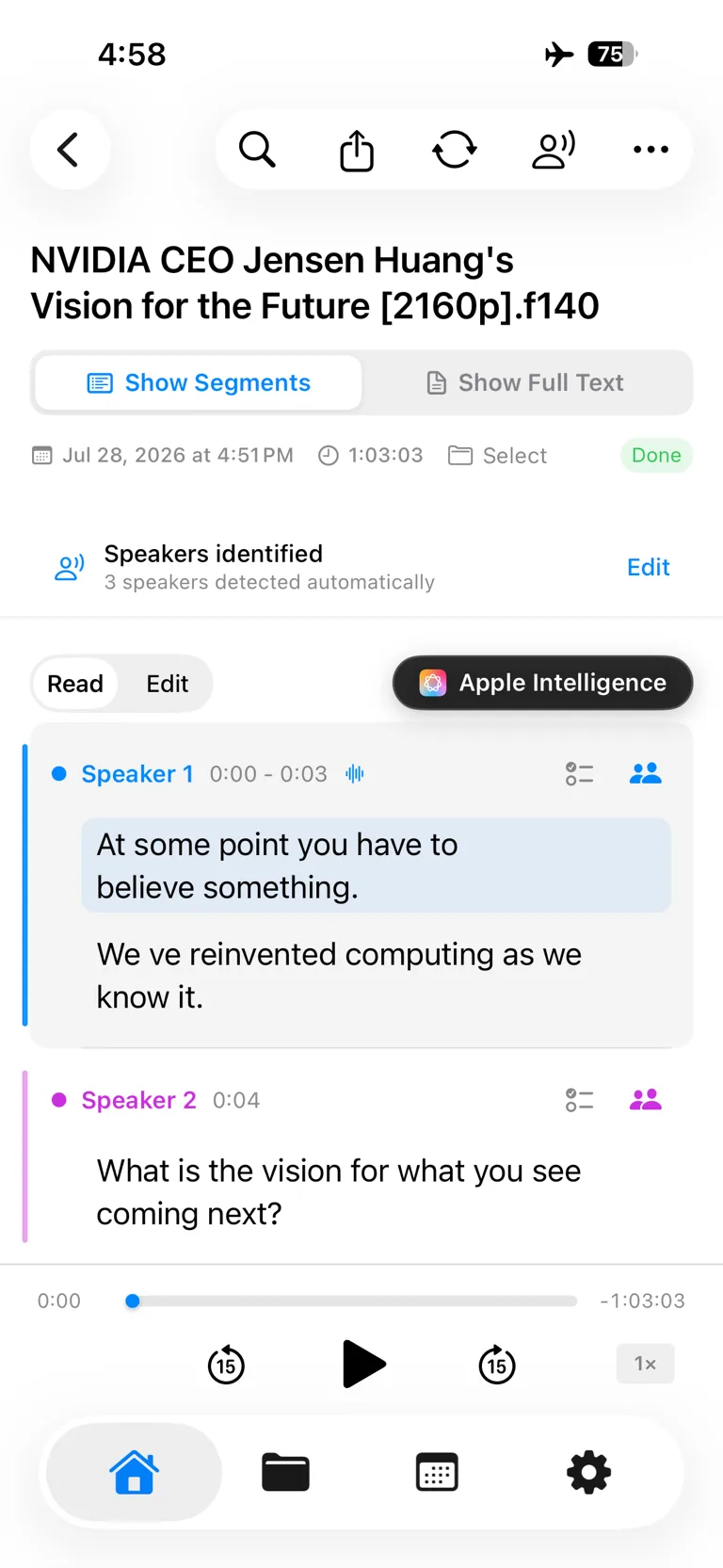
Automatic Speaker Detection
Distinguishes speakers in meetings and interviews, labeling every segment on-device so you can see who said what.
Background Transcription
Lock the screen or switch to another app — transcription keeps running and the finished text is waiting when you come back.
100+ Languages
Transcribe in over 100 languages with OpenAI Whisper technology for global accessibility.
Smart Editing
Edit with timestamps, import audio files, and share your transcriptions seamlessly across devices.
Folder Management
Organize your notes with folders and calendar. Keep everything structured and easily find past recordings.
Apple Watch & Complications
Record from your wrist and add a complication to your watch face for instant access. Recordings sync to your iPhone for transcription.
Flexible Plans
Choose monthly, yearly, or a one-time $39.99 lifetime purchase. Manage your plan anytime through the App Store.
See LoroNote in action
Real screenshots from the App Store listing.
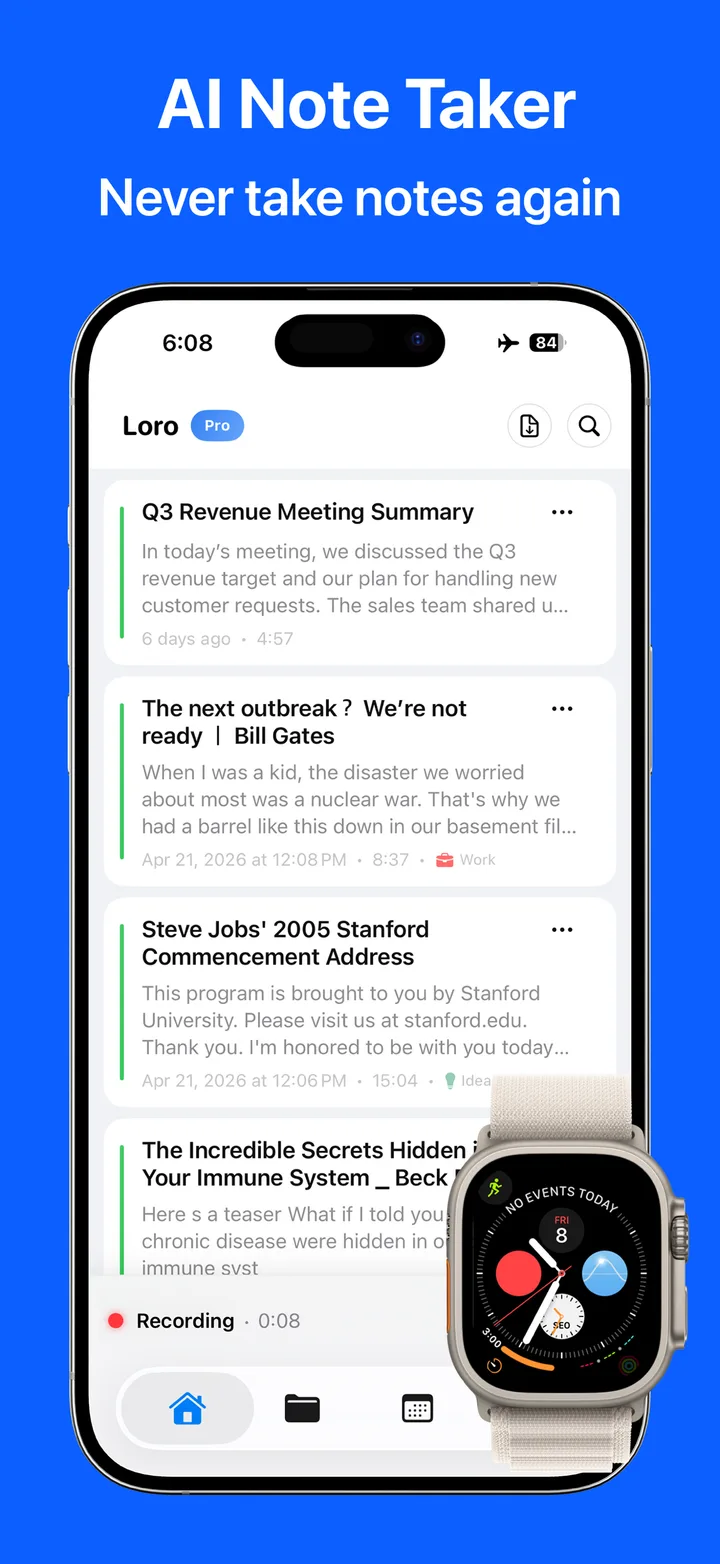
Record from your wrist with an Apple Watch complication
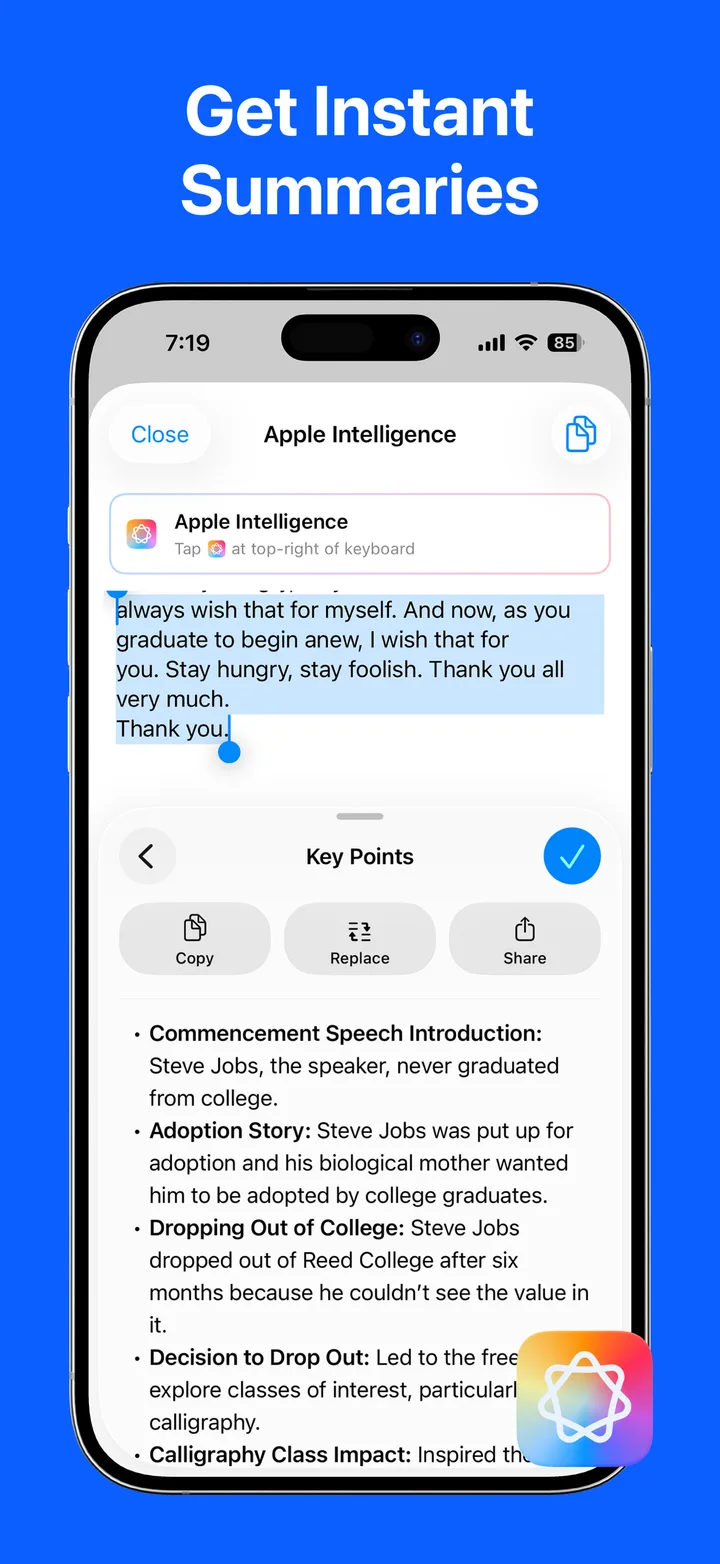
Instant summaries powered by Apple Intelligence
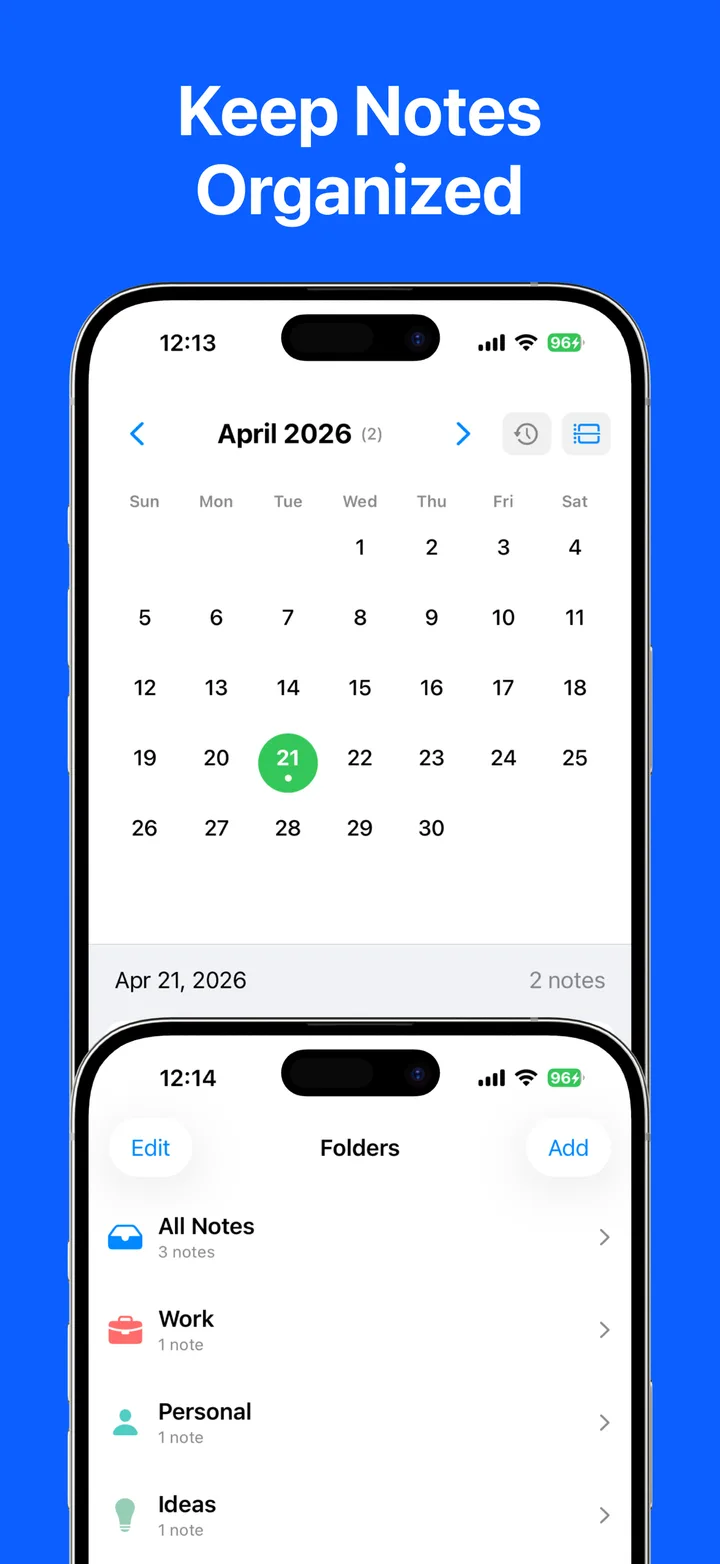
Notes organized by folder and calendar
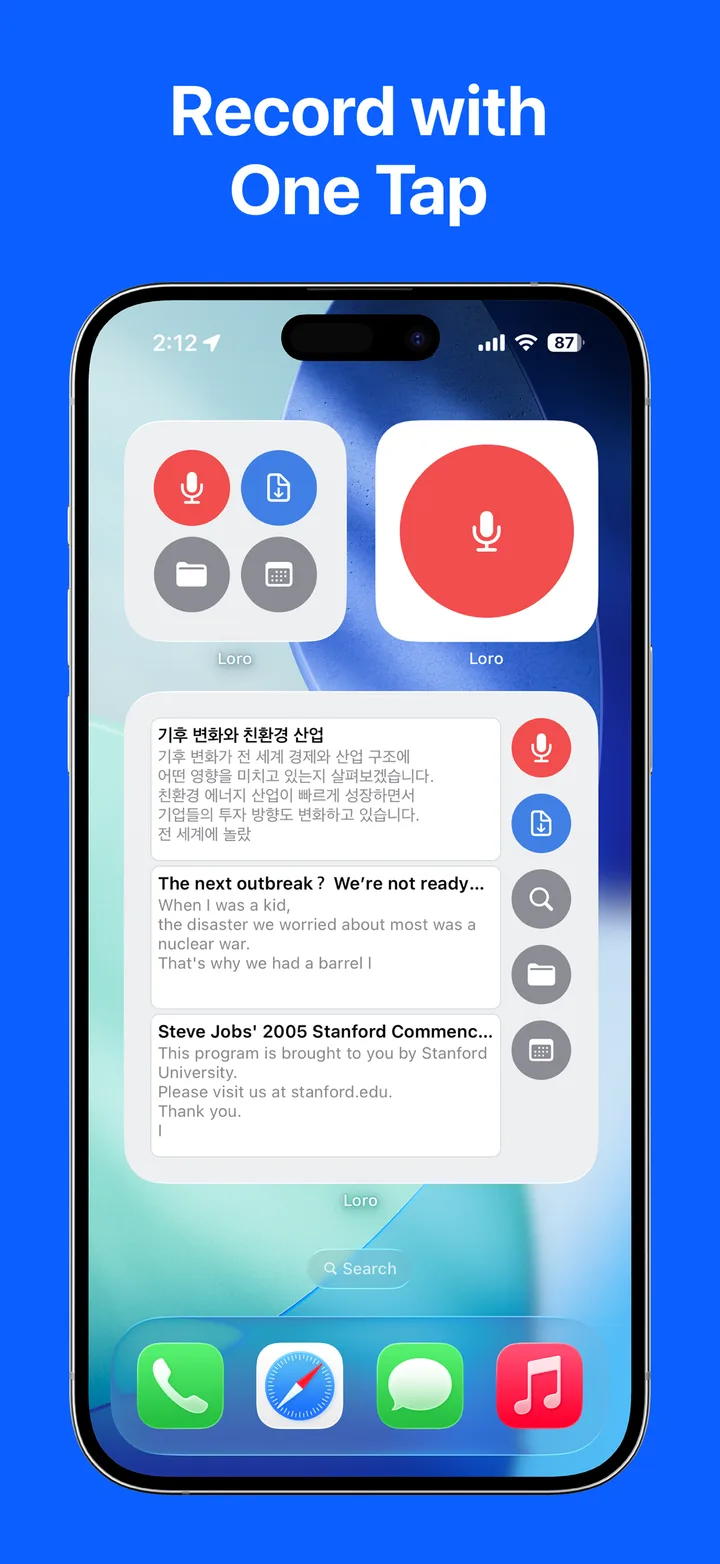
One-tap recording from Home Screen widgets
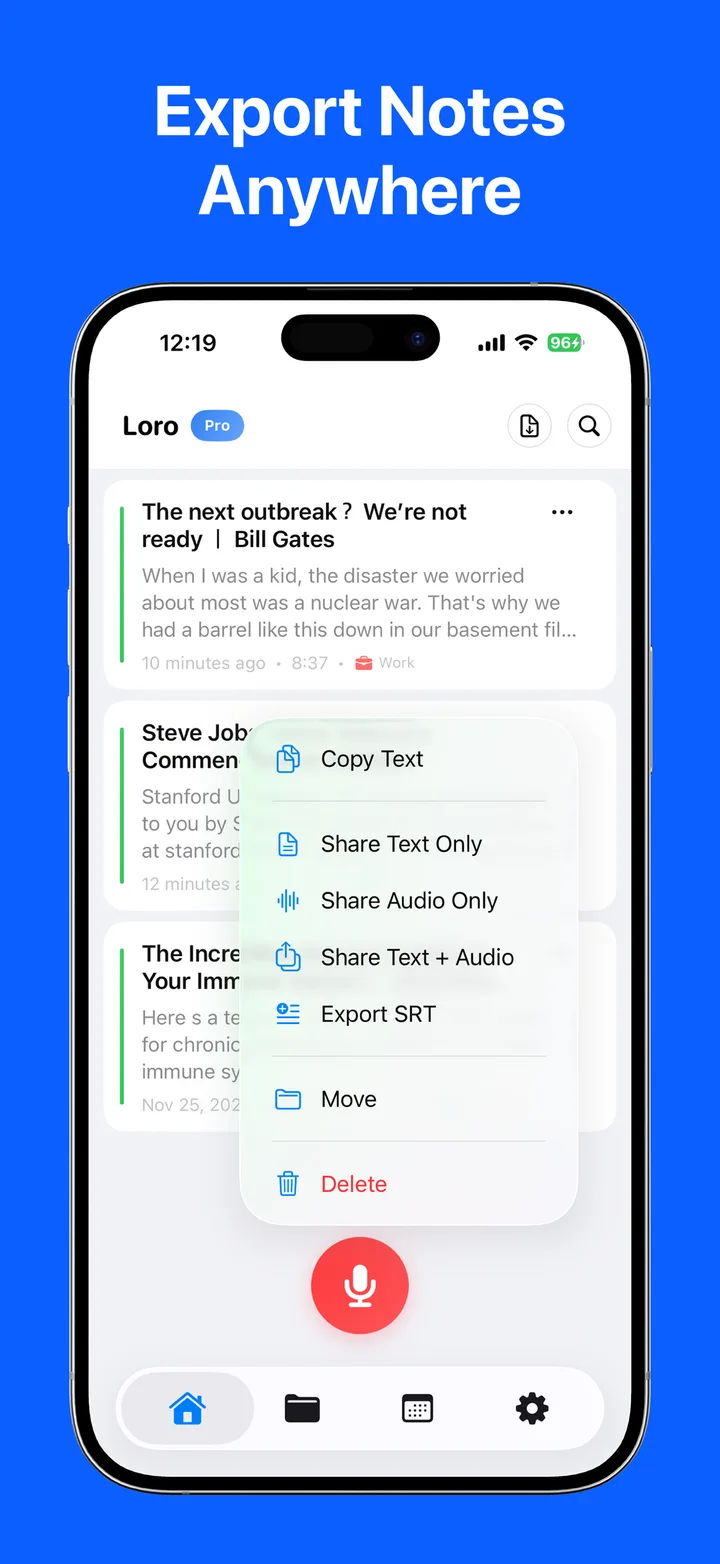
Export text, audio, or SRT anywhere
From recording to transcript in three steps
Everything below happens on your device — nothing is uploaded at any step.
Record or import
Record meetings, lectures, and interviews on iPhone, iPad, or Apple Watch — or import existing audio and video files.
AI transcribes on your device
Whisper Large V3 Turbo runs on the phone itself, even offline. Lock the screen or switch apps — transcription keeps going in the background, about 19× faster than real time on an iPhone 15 Pro.
Edit, search, and export
Rename speakers, fix any word with timestamped editing, and export as TXT or SRT subtitles — speaker labels included.
Know who said what
LoroNote separates speakers automatically — on your device, even offline. Every line is labeled, editable, and stays labeled when you share it.
Detected automatically
Speakers are identified on device right after transcription — no cloud, no upload. Every segment gets a colored speaker label.
Rename once, applied everywhere
Turn “Speaker 1” into a real name and every segment updates. Reassign a single mislabeled segment, or bulk-change all of them.
Labels survive export
Share or export to TXT and SRT with speaker labels and timestamps intact — ready for meeting minutes, subtitles, or interviews.
Built for the way you record
Four situations where private, on-device transcription pays off.
Meetings & minutes
Capture decisions and action items without sending boardroom audio to anyone’s servers. Speaker labels show who said what.
Learn more— Meetings & minutesLectures & study
Record a whole lecture and turn it into searchable notes you can review at your own pace — even in a hall with no signal.
Learn more— Lectures & studyInterviews & research
Sources stay between you and your device — nothing is uploaded. Timestamped quotes are ready to check against the audio.
Learn more— Interviews & researchSubtitles & content
Turn videos and voice memos into SRT subtitles and clean scripts without uploading your footage anywhere.
Learn more— Subtitles & contentPrivate by design, not by promise
Cloud transcription apps ask you to trust their privacy policy. LoroNote removes the need to trust anyone: transcription happens on your device, so your audio can’t leak from servers that don’t exist.
No servers, no access
We run no transcription servers. Your recordings and transcripts never reach us — we couldn’t read them even if we wanted to.
Works in Airplane Mode
Transcribe with zero connection — ideal for confidential meetings, interviews, and legal or medical notes.
Your data stays yours
Recordings and transcripts stay on your device and sync only through your own private, encrypted iCloud — never through an account on our cloud.
App Store privacy label
“Data Not Linked to You”
The privacy label on LoroNote’s App Store listing declares exactly one data type — purchase history, used for app functionality and not linked to your identity. Recordings, transcripts, contacts, and location appear nowhere on it.
LoroNote vs. cloud AI notetakers
Most AI transcription apps upload your audio to their servers and charge a subscription forever. Here is the difference at a glance.
| Feature | LoroNote | Cloud AI notetakers |
|---|---|---|
| Where your audio is processed | 100% on your device | Uploaded to company servers |
| Works offline / in Airplane Mode | Yes, fully | No — internet required |
| Transcription limits | Unlimited on every paid plan | Monthly minute caps |
| Pricing | From $1.67/mo — or $39.99 once | Subscription only, ~$8–17/mo |
| Languages | 100+ languages, all offline | A handful of languages |
| Speaker identification | On your device | Processed in the cloud |
Is LoroNote right for you?
Choose LoroNote for private, offline transcription on iPhone and iPad
LoroNote is designed for people who want accurate transcripts without uploading conversations to a transcription provider.
- Record or import meetings, lectures, interviews, voice memos, and media files.
- Transcribe on-device in 100+ languages, even in Airplane Mode, with automatic speaker identification.
- Use unlimited transcription on any paid plan and choose monthly, yearly, or lifetime access.
When a cloud meeting app is a better fit
Choose a cloud service when you need a bot to join Zoom, Meet, or Teams automatically, live shared notes, or team collaboration. LoroNote is built for private individual workflows on supported Apple devices.
Testimonials from Real Users
Exceptional
have been looking for a speech to text app I feel like I have tried a dozen. This one blows them all away. I’ve recommended it to several people.
Ace in the Wall
🇺🇸 United States
Fantastic App
Works brilliantly. I especially like the folder system for your notes. Much better than other alternatives with £££ yearly subscriptions
This.is.the.wayyy
🇬🇧 United Kingdom
Works great.
I recently discovered that my iPad throws out it’s transcription module every time I update to a new system version. That is really troublesome. So LoroNote is a good solution. So far it is very accurate. Thank you to the developer.
justsomeone28908
🇩🇪 Germany
👌
très pratique ! Et de toute sécurité. Seule difficulté pour moi, s’habituer à ne pas dicter la ponctuation que le logiciel met tout seul 😀 🙏 5/5
RnRoller
🇫🇷 France
온디바이스 음성 텍스트 정확하네요!
대부분의 음성 메모 앱은 클라우드 처리라 개인정보가 유출될까봐 걱정이 드는데 마침내 충족하는 앱이 나왔습니다. 로컬이라 정확도 떨어지는 부분 전혀 없고 오히려 더 정확합니다.이런 앱 출시해줘서 감사합니다.
orc..
🇰🇷 South Korea
Werkt als een zonnetje
Leuke app die eigenlijk heel makkelijk werkt en goede resultaten geeft. Heel weinig fouten en zelfs een tekst die buiten uitgesproken is, met wind en zo, komt er helemaal correct uitrollen! Tevreden dus!
Jantjoooo
🇳🇱 Netherlands
Simple, transparent pricing
Pay once, transcribe forever — no usage caps, no hidden fees.
Try it free first
The free version transcribes the first 2 minutes of any recording — as many recordings as you like, with no account and no trial deadline. A paid plan removes the 2-minute and export limits.
Monthly
Flexibility to try LoroNote month by month.
Billed monthly · Cancel anytime
- Unlimited transcriptions
- 100% on-device & private
- Whisper Large V3 Turbo accuracy
- 100+ languages supported
- Smart editing with timestamps
- All future updates included
Yearly
Save 67%A full year of unlimited LoroNote at 67% off.
$19.99 billed annually · Save $40 a year
- Everything in Monthly
- Lock in 67% off for 12 months
- Priority access to new features
- Premium 100+ language packs
- Advanced smart editing tools
- Cancel renewal anytime
Lifetime
Pay once, own it forever.
One payment · Yours forever
- Everything in Yearly
- One payment, no renewals ever
- Lifetime of free updates
- Unlimited transcriptions forever
- Priority access to new features
- Best long-term value
Prices are in USD and processed by Apple. Local taxes may apply at checkout. Subscriptions auto-renew until cancelled in your Apple ID settings; the lifetime plan is a one-time purchase.
Frequently Asked Questions
Get answers to common questions about LoroNote's AI transcription features, privacy protection, and how it can transform your voice recording experience.
Is LoroNote completely offline?
How accurate is the transcription?
Which languages are supported?
Is my data private and secure?
Is there a recording length limit?
How much does LoroNote cost?
Does LoroNote tell speakers apart?
Can I transcribe existing audio or video files?
Which devices does LoroNote support?
Can LoroNote summarize my recordings?
Can I use LoroNote for confidential recordings?
Does transcription keep running in the background?
Do I need an account to use LoroNote?
Does LoroNote work on Apple Watch?
Which iPhone and iPad models can transcribe on device?
How fast is transcription?
Is this the same as running OpenAI Whisper myself?
Can LoroNote join a Zoom, Teams, or Google Meet call?
What file formats can I import and export?
Can I get timestamps or subtitles from a recording?
Can I edit and search a transcript?
Can I organise recordings into folders?
Does LoroNote sync between my iPhone and iPad?
Is there a LoroNote app for Android, Windows, or Mac?
How do I transcribe my first recording?
- Downloads
- 50K+
- Accuracy
- 98%
- Languages
- 100+
- App Store · App Rating
- 4.7
Turn your voice into text — offline
LoroNote transcribes meetings, lectures, and interviews right on your iPhone — private, accurate, and unlimited.
Download on the App Store- 100% Privacy
- Works Offline
- Unlimited Transcriptions